Phantom Blade Zero PC requirements are modest on paper: a GTX 1660 6GB or RX 5500 XT 8GB gets you 1080p at 30 FPS with upscaling, and an RTX 3060 Ti or RX 6700 XT targets 1440p at 60 FPS. Ray tracing and path tracing need much newer cards. Here is every tier from the Steam listing, what is still unconfirmed about preload and install size, and where to start in the graphics menu.
Key takeaways
- The official Phantom Blade Zero PC requirements are 1080p/30 (minimum) and 1440p/60 (recommended), both with upscaling enabled. An SSD is mandatory.
- Ray tracing is listed at an RTX 5060 8GB for 1080p/60. Full path tracing at 4K/60 lists an RTX 5080 16GB, upscaling on.
- As of October 11, 2026, no preload date and no install size appear on the Steam page.
- NVIDIA DLSS 4.5 is confirmed. AMD FSR and Intel XeSS support is not.
Table of contents
Phantom Blade Zero PC requirements
The requirements below are copied from the game’s Steam store page. Both tiers share the same OS, DirectX 12 and 16 GB RAM figures.
| Minimum (1080p / 30 FPS) | Recommended (1440p / 60 FPS) | |
|---|---|---|
| OS | Windows 10/11 64-bit | Windows 10/11 64-bit |
| CPU | Intel Core i7-8700K / AMD Ryzen 5 3600 | Intel Core i5-10600K / AMD Ryzen 5 5600X |
| RAM | 16 GB | 16 GB |
| GPU | NVIDIA GeForce GTX 1660 6GB / AMD Radeon RX 5500 XT 8GB | NVIDIA GeForce RTX 3060 Ti 8GB / AMD Radeon RX 6700 XT 12GB |
| DirectX | 12 | 12 |
| Storage | SSD required (size not listed) | SSD required (size not listed) |
| Target | 1080p / 30 FPS, upscaling on | 1440p / 60 FPS, upscaling on |
The important detail is the footnote. Neither target is native resolution. The studio is assuming you turn upscaling on, so a card at the minimum line should expect to use it from the first minute.
Ray tracing and path tracing tiers
Outlets covering the spec sheet, including Wccftech, report two extra targets from S-GAME:
- Ray tracing: NVIDIA GeForce RTX 5060 8GB for 1080p / 60 FPS with upscaling.
- Path tracing: NVIDIA GeForce RTX 5080 16GB for 2160p (4K) / 60 FPS with upscaling.
Those two entries only name NVIDIA cards, and the Steam page itself does not repeat them. Treat them as the studio’s guidance for the RT modes, which sit outside the core Phantom Blade Zero PC requirements on Steam, not a promise for every GPU in the same performance class.
Will my PC run it?
Checking the Phantom Blade Zero PC requirements against your own build is simple. If your CPU is a Ryzen 5 3600 or better and you have 16 GB of RAM, the CPU and memory lines are unlikely to be your problem. The GPU is the line that decides your resolution and whether RT is realistic. A rough read of the table:
- GTX 1660 / RX 5500 XT class: 1080p, upscaling on, 30 FPS target.
- RTX 3060 Ti / RX 6700 XT class: 1440p, upscaling on, 60 FPS target.
- RTX 5060 and up: the first card listed for ray tracing.
Cards between the tiers are not benchmarked by the studio. Wait for post-launch tests before buying hardware for this game alone.
Phantom Blade Zero release date and preload
Steam lists the release as October 28, 2026. PlayStation and some outlets, such as Notebookcheck, give October 29, which is most likely the same launch seen from different time zones. The PC and PS5 versions launch together.
Preload: the Steam page shows no preload information, and I could not find an announcement from S-GAME or on Steam as of October 11, 2026. The store page says only that the game unlocks in about two weeks. Preload usually opens a day or a few days before unlock, so check the Steam page and the game’s Steam news feed, or your Steam library, where a preload button appears once it is live.
How much disk space do I need?
No official install size has been published, and the Phantom Blade Zero PC requirements list none. The Steam listing says only “SSD installation required”. Third-party estimates range from about 50 GB upward, and none comes from S-GAME. Until the number appears, leave 100 GB free on an SSD and you will not have to move files around on launch day.
Denuvo and DRM
The Steam page states the game “incorporates 3rd-party DRM: Denuvo”. That is worth knowing if you swap hardware often, since Denuvo can limit how many machines you activate in a short period.
Best Phantom Blade Zero settings (what we know so far)
The game is not out yet, so there is no verified settings guide. Check the Phantom Blade Zero PC requirements above first, because your GPU tier decides which of these options matter. What follows is what the studio and NVIDIA have confirmed, plus general advice for demanding action games with RT options.
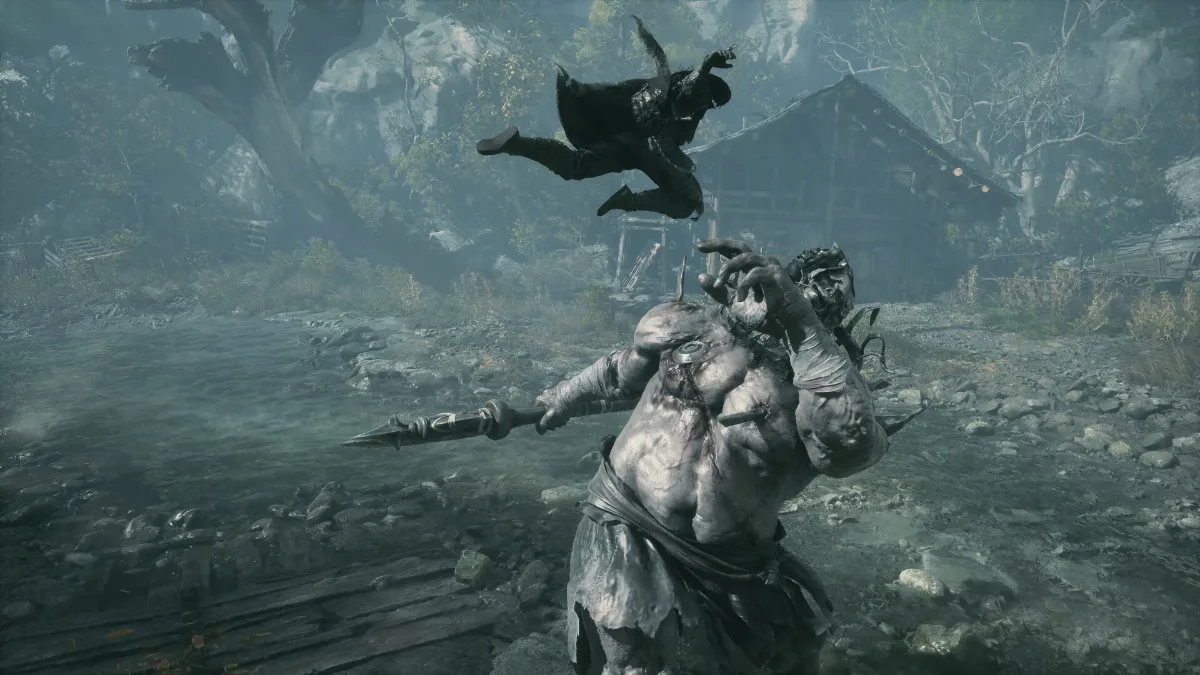
Confirmed features
- DLSS 4.5 with Super Resolution and Multi Frame Generation on supported RTX cards, per Tweaktown.
- Ray tracing at launch, covering reflections, shadows and caustics according to the same report.
- Path tracing, tied to the RTX 5080 target above.
Not confirmed
- AMD FSR and Intel XeSS: S-GAME has not said whether either ships. The requirements say “upscaling” without naming the tech, so Radeon and Arc owners should wait for the in-game menu rather than assume.
- Ultrawide: no official statement found.
Where to start when frame rate is poor
- Upscaler quality mode. Drop from Quality to Balanced before touching anything else. It is the single biggest FPS lever and is already assumed by the requirements.
- Ray tracing off. Run raster first. Turn RT on one effect at a time only if you are comfortably above your frame target.
- Global illumination and shadow quality. These are usually the heaviest raster options in Unreal Engine 5 titles. Step them down one notch.
- Volumetric effects and ambient occlusion. Small visual loss for a measurable gain in most modern engines.
- Textures last. Keep them as high as your VRAM allows. On a 6 GB or 8 GB card, lower them only if you see stutter.
- Frame cap. Cap a few FPS below your refresh rate for steadier frame times in a combat game where timing matters.
Treat that list as a starting order, not a measured result. Option names and their costs will only be known once the final build is installed.
Frequently asked questions
What are the Phantom Blade Zero PC requirements?
The minimum is an Intel Core i7-8700K or Ryzen 5 3600, 16 GB RAM and a GTX 1660 6GB or RX 5500 XT 8GB for 1080p/30. Recommended is an i5-10600K or Ryzen 5 5600X with an RTX 3060 Ti or RX 6700 XT for 1440p/60. Both assume upscaling and an SSD.
Is Phantom Blade Zero demanding on PC?
Its stated minimum is a GTX 1660 6GB or RX 5500 XT 8GB at 1080p/30 with upscaling. Ray tracing and path tracing raise that bar a lot: an RTX 5060 and an RTX 5080 are listed for them.
Does Phantom Blade Zero need an SSD?
Yes. SSD installation is listed as required in both tiers.
Can I preload Phantom Blade Zero on Steam?
No preload date has been published. Check the Steam page before the October 28 unlock.
Does Phantom Blade Zero support DLSS and FSR?
DLSS 4.5, including Multi Frame Generation, is confirmed. FSR and XeSS are not confirmed.
How big is Phantom Blade Zero on PC?
The install size has not been announced. Estimates start around 50 GB and are unofficial.
The Phantom Blade Zero PC requirements above were last checked October 11, 2026, against the Steam store page and press coverage of the published spec sheet.